
Free for online sellers
Find out what each sale really earns you
Delivery, packaging, Paystack fees, data and ads quietly eat into your profit. This calculator shows your true profit on every product, and the price that gives you the margin you want.
- True cost per item, including fees and ads
- Profit per item and per month
- The lowest price before you lose money
- A suggested price for the margin you want
- Uses Paystack’s current Nigerian fees
A Google Sheets template (also works in Excel). Free, no catch.
Where should we send it?
What’s inside
A real Google Sheet, ready to fill in
Four tabs, all working out the maths for you. Shown here with sample products; you delete them and add your own.
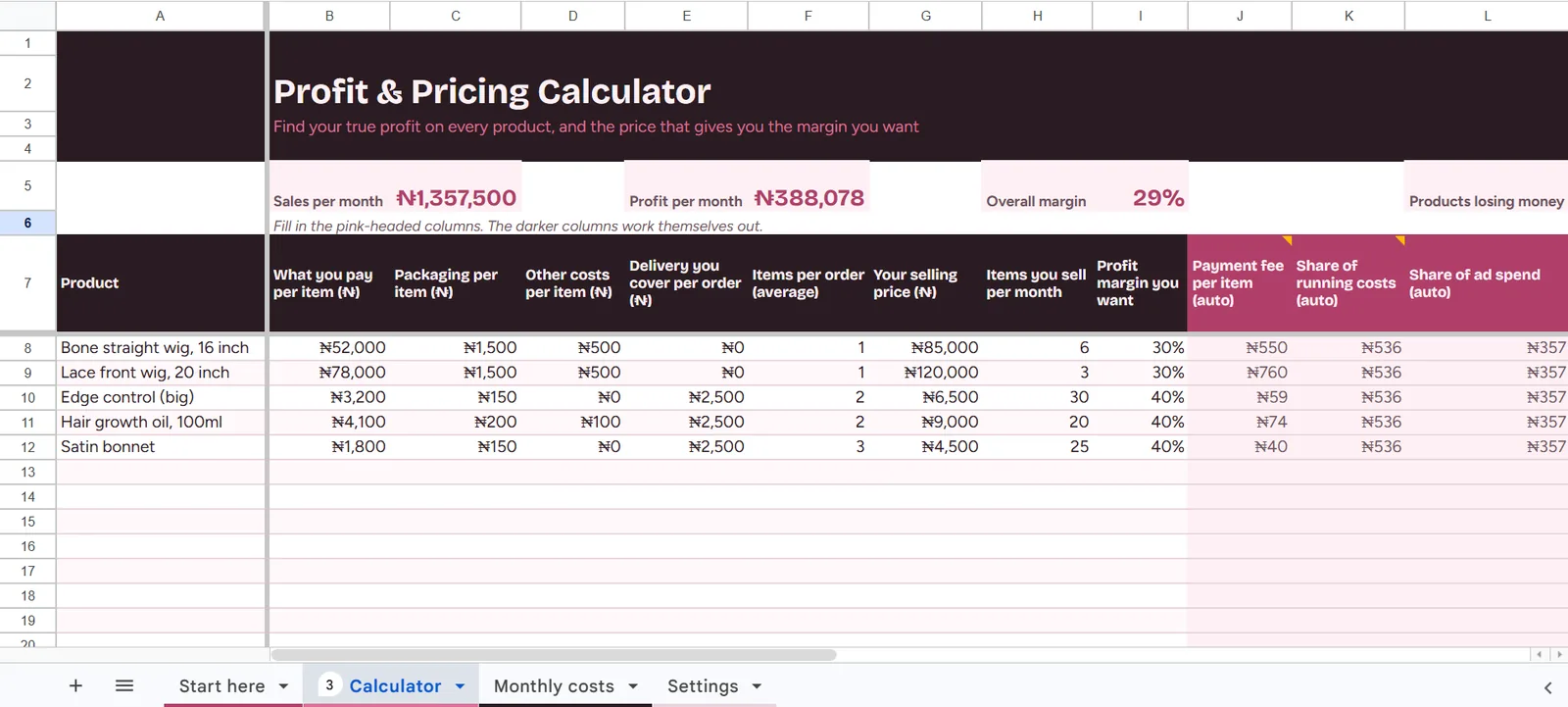
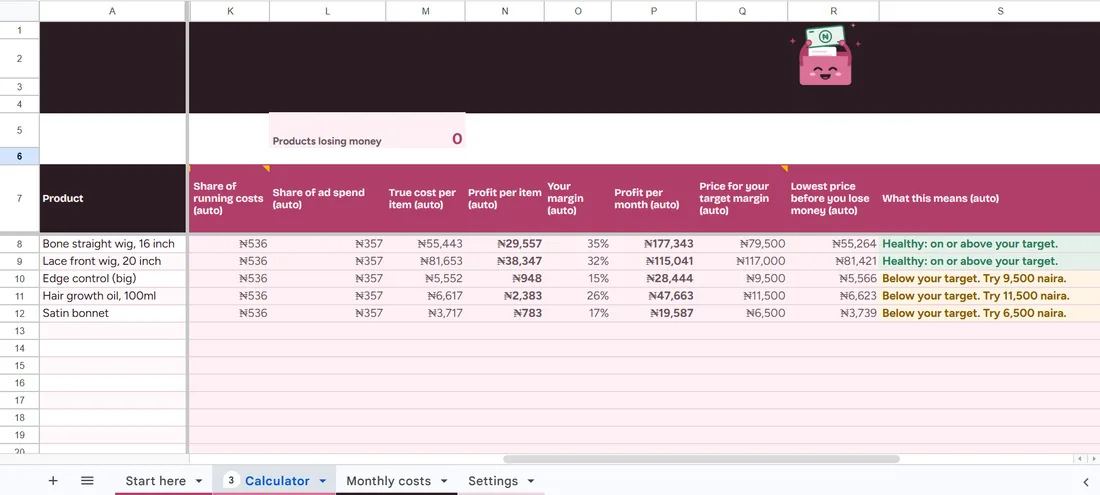
Your answersTrue cost, profit per item and per month, the price for your target margin, and a plain verdict on each product. 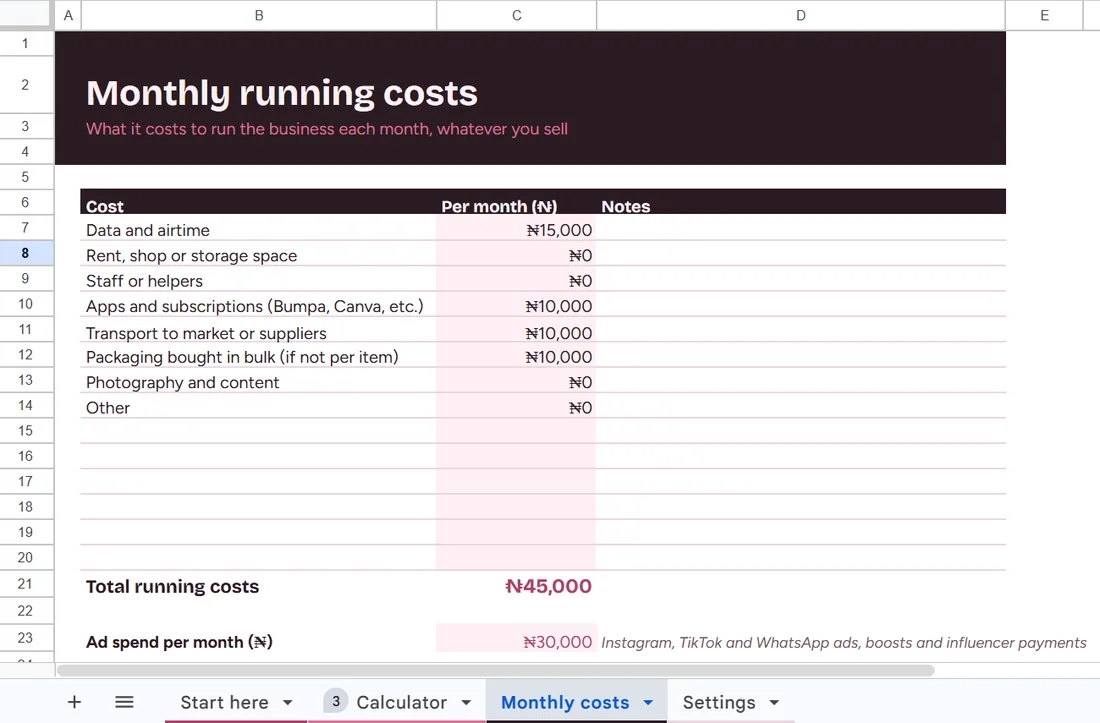
Monthly costsData, apps, transport and ads, shared fairly across everything you sell. 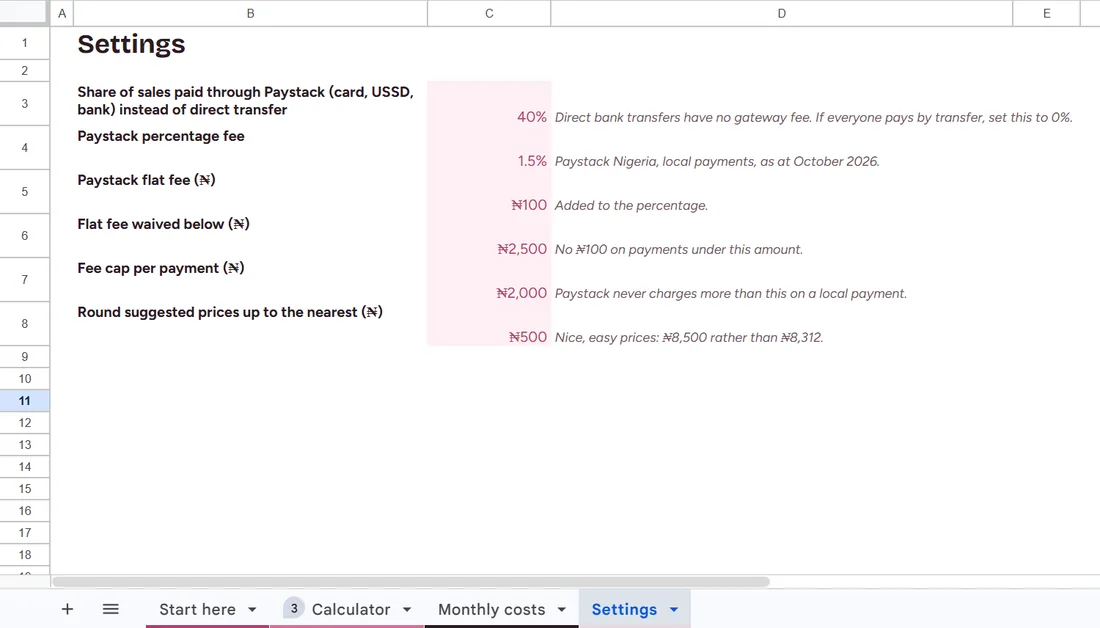
SettingsPaystack’s Nigerian fees built in, and how many customers pay by transfer instead. 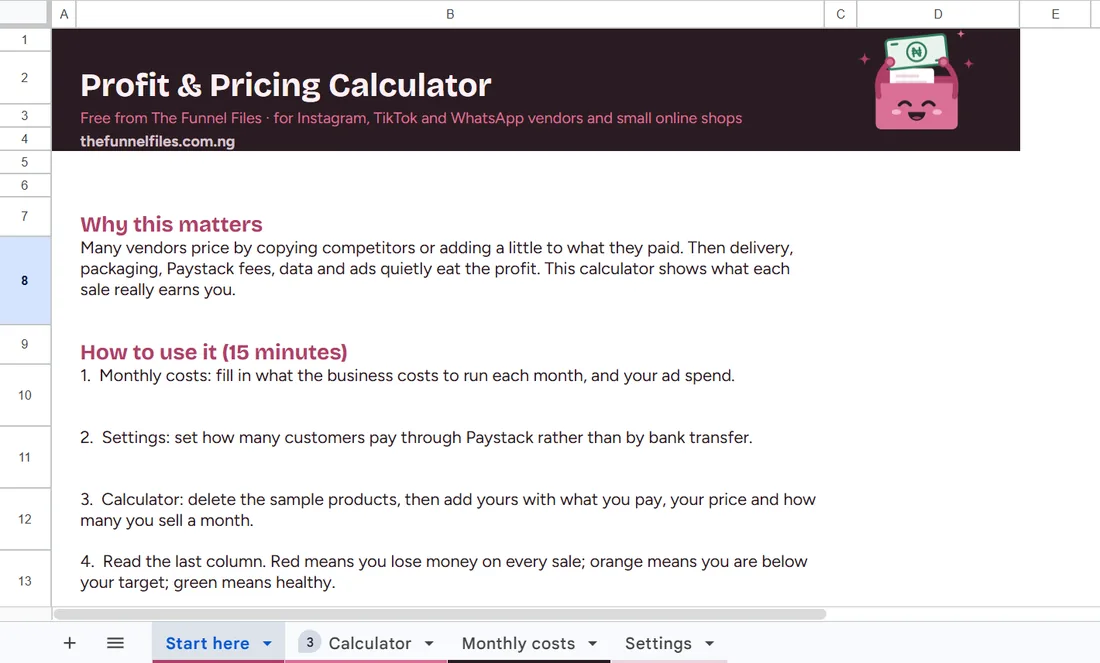
Start hereA 15-minute walkthrough, so you’re never guessing what to fill in.
Rather we did it for you?
Vendor Sales System
Replies, payment, an order tracker and repeat-sales messages, set up together.
From ₦175,000
Questions
Good to know
What does the Profit & Pricing Calculator work out?
Your true cost and profit on each product after packaging, delivery, Paystack fees, data and ads. It also shows the lowest price before you lose money and a suggested price for the margin you want.
How do I work out what price to charge for a product?
Enter what you pay for the item, your packaging and delivery costs and your monthly running costs, then set the margin you want. The sheet shows the lowest price that avoids a loss and a suggested price that gives you that margin.
Does it include Paystack fees?
Yes. Paystack’s Nigerian fee, flat fee and fee cap are built into the Settings tab, and you can change them if the fees change.
Will it work if customers pay by bank transfer?
Yes. You set what share of customers pay through Paystack, and transfers are counted as free.
Is it really free?
Yes. It is a free template from The Funnel Files. Submitting the form also adds you to our mailing list for selling tips, and you can unsubscribe in one click.
Is this financial advice?
No. It is a planning tool that does the maths for you. You decide your prices.
How long does it take to fill in?
About 15 minutes. The Start here tab explains it in four steps.
Last updated
Pass it on
Know a seller who needs this?
A free Google Sheets template that shows an online vendor in Nigeria their true profit per product after delivery, packaging, Paystack fees and ads, plus the price to charge.